For Photographers
Switching from HoneyBook to Colara: What Transfers, What Doesn't, and How We Do It for You
HoneyBook works fine — until it doesn't. If you're a wedding photographer or planner ready to switch to a CRM built specifically for weddings, here's exactly what comes with you and how the migration actually works.
Jennie Tewell · May 27, 2026

If you've been searching for a HoneyBook alternative built specifically for wedding photographers and planners, you've probably run into the same problem: most CRMs are built for a broad market. Coaches, designers, consultants, photographers — all in the same product. Which means none of them are built for the specific reality of running a wedding business.
Switching from HoneyBook to Colara is something we've helped studios do. This is what you need to know before you make the move.
Why Wedding Pros Are Looking for HoneyBook Alternatives
HoneyBook is a good product. I'm not going to tell you otherwise. But a few things come up consistently from photographers and planners who are ready to move on.
The price has gone up significantly over the past few years. The feature set has expanded to serve a broader market, which means more complexity for users who only need what a wedding business actually requires. And the tools that matter most to wedding professionals — timeline management, day-of coordination, client portals designed for couples — either don't exist in HoneyBook or are bolted on as afterthoughts.
The longer you've been using it, the more your data feels locked inside a system that doesn't quite fit how you work.
What Actually Transfers When You Switch
The migration concern is real. Years of client records. Invoices that have already been paid. Contracts that have been signed. The fear is that you'll export a CSV, spend a weekend mapping columns, and still end up with half your data missing or in the wrong place.
Here's what comes over cleanly when you switch from HoneyBook to Colara:
Contacts and clients. Names, emails, phone numbers, partner info, addresses, Instagram handles, wedding dates, and lead sources all transfer exactly. If it's in HoneyBook, it comes to Colara.
Pipeline and project status. HoneyBook stage names — Inquiry, Proposal Sent, Booked, and so on — map automatically to Colara's wedding CRM pipeline. Your pipeline view on day one looks like what you've built over the years, not a blank slate.
Invoices and payment history. Invoice totals, amounts paid, due dates, and payment status all transfer. We've reconciled over a million dollars in payment history for studios that have switched. The numbers match.
Contracts. Contract titles and signing status transfer. If the contract document URL is still accessible, we fetch the PDF and attach it to the record automatically.
Deduplication is built in. We match contacts by email and phone number before importing. If you've already started adding clients to Colara manually, we won't create duplicates. We fill in any gaps.
What Doesn't Come With You
Being honest here matters more than overpromising.
Email threads, calendar events, questionnaire responses, and automations don't transfer. These are tied to HoneyBook's infrastructure and there's no portable format for them. You'll rebuild your automations in Colara — most studios say it takes 30 to 60 minutes. Questionnaires get set up fresh. Calendar events sync directly from Google or Apple Calendar.
It's a one-time reset on those pieces. Everything else comes with you.
How the Migration Actually Works
We handle this for you. You don't map columns. You don't clean up the CSV. You don't spend a weekend on it.
Step 1. In HoneyBook, go to Settings, then Export Data, and download your contacts and projects as a CSV. It takes about 2 minutes.
Step 2. Email the file to support@colara.co with the subject line "Migration." That's it from your end.
Step 3. We handle the mapping, deduplication, and import. You'll hear back within 24 to 48 hours with everything ready in your Colara account.
No spreadsheet cleanup. No guessing which column maps to which field. No running the import three times hoping it works correctly. See the full migration details here.
What's Different About a CRM Built for Weddings
Most CRM tools handle the basics — contacts, invoices, contracts. The difference shows up in the details that only matter in a wedding business.
Colara's timeline tools are built on formulas from hundreds of real weddings. When a photographer uses the timeline generator, it accounts for sunset timing, first look decisions, travel between venues, and wedding party size — not because someone added a feature request, but because those are the actual variables that determine whether a wedding day runs smoothly.
The client portal is designed for couples. When a bride logs in to review her timeline or sign a contract, she's not navigating a generic client workspace — she's in something built around how wedding clients actually think about their day.
The pipeline knows what Booked, Inquiry, and Proposal Sent actually mean in the context of a wedding business. The contact record has fields for partner name, wedding date, venue, and Instagram handle by default — not as custom fields you have to build yourself.
If you've spent time adapting HoneyBook to fit a wedding business, it's a different experience to open a product that already fits.
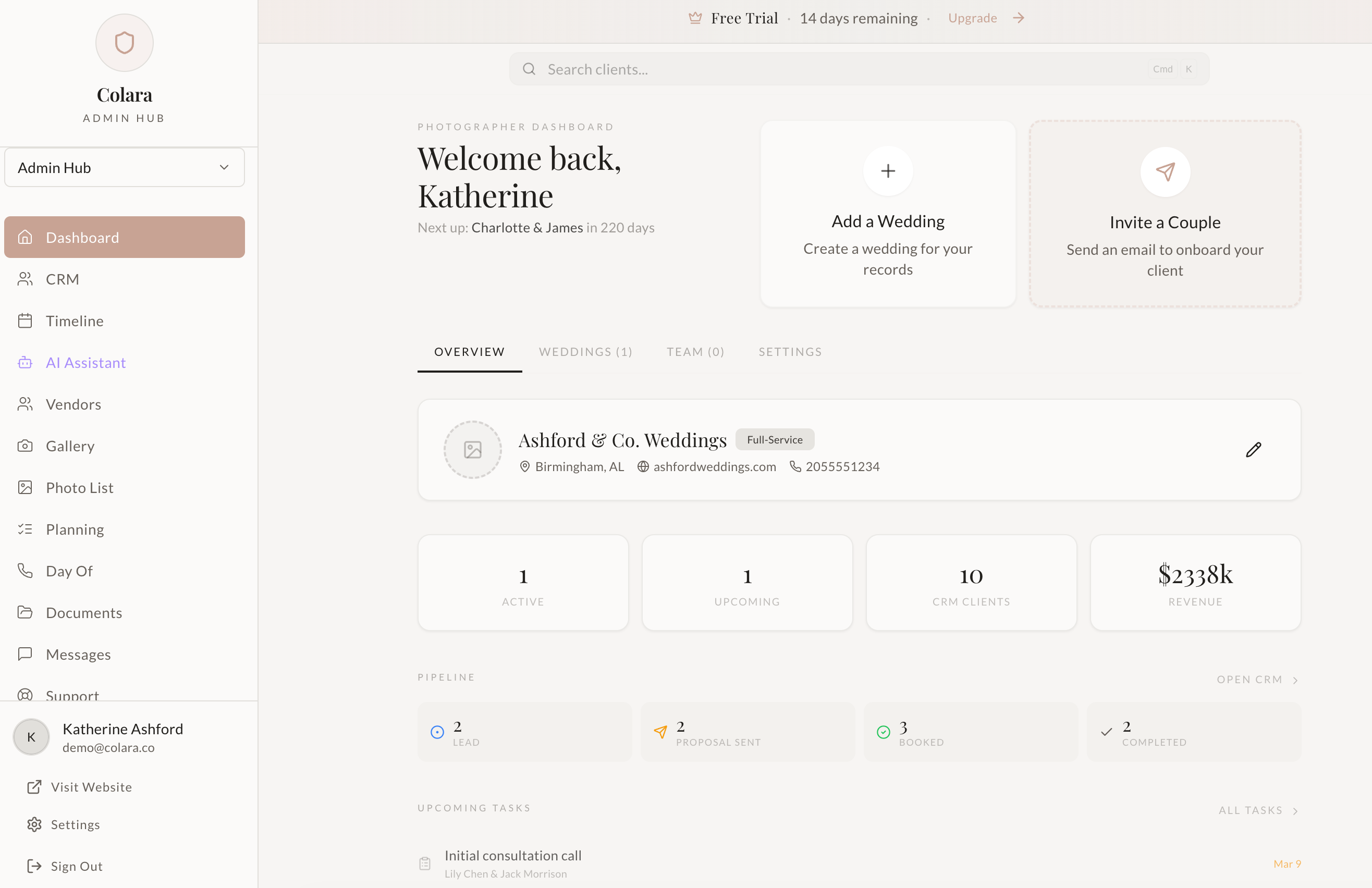
The Honest Comparison
HoneyBook makes sense if you run a mixed service business and need one tool for all of it. The breadth is the point.
Colara makes sense if weddings are your business — or the majority of it — and you want tools that reflect the specific way wedding work actually runs. The depth is the point.
The migration from HoneyBook to Colara takes less than 48 hours. Your client history comes with you. The reset on automations and questionnaires is a one-afternoon project. Most studios say the week after they switch, they wonder why they waited.
Ready to Make the Move?
Start your free 14-day trial, then email your HoneyBook CSV to support@colara.co. We'll take care of the rest. No credit card required.
Questions before you start? Email support@colara.co and we'll walk you through it.