For Photographers
Wedding Album Design and Proofing Without the PDF Back-and-Forth
From an AI first draft built on the couple's favorites to a locked proof link, pinned comments, photo swaps from the same gallery, and an approval that unlocks cover and debossing choices.
Colara · October 23, 2026
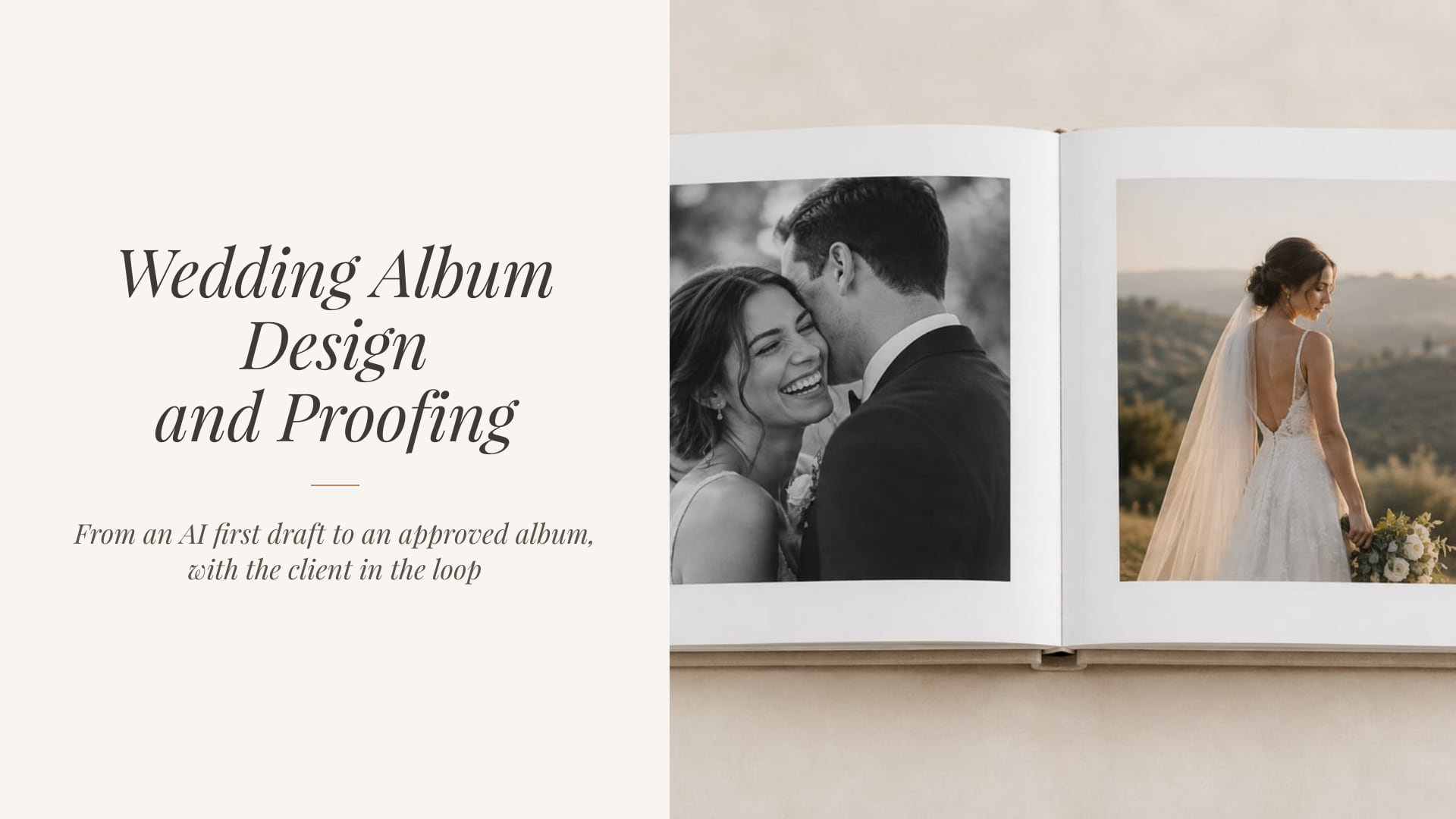
Album proofing used to mean a PDF, an email thread and a spreadsheet of spread numbers. The couple writes "swap the photo on page 7", you guess which one, and a fourth round begins.
When the album is designed inside the same workspace as the gallery, a change request is a note pinned to the exact spread with the replacement photograph already chosen. This guide walks the whole flow, from an AI first draft to an approved album that is ready for your lab.
In short
- Start from their favorites. An AI first draft from the couple's Album list, or the couple designs their own from the store.
- One proof link, not a PDF. Review-by date, reminders, revision rounds and an optional password.
- Change requests you can click. Each note lands on the exact spread, with the swap photo picked from the delivered gallery.
- Approval unlocks the cover. Then print-ready JPEGs for your lab, or connected album production once live ordering is enabled.
The old way, and why it costs a week
PDF proofs are one-directional. The couple can look, but every reply is prose. They describe photographs they cannot point at, and you go hunting through the gallery for "the one where my mom is laughing".
Every round is another export. Export, upload, email, wait, repeat. Three rounds is a week of elapsed time for twenty minutes of actual design.
A change request should be a checkbox for you, not a treasure hunt.
How album design and proofing work in Colara
The album lives on the same wedding as the delivered gallery, so the photographs, the couple's favorites and the couple's email are already there.
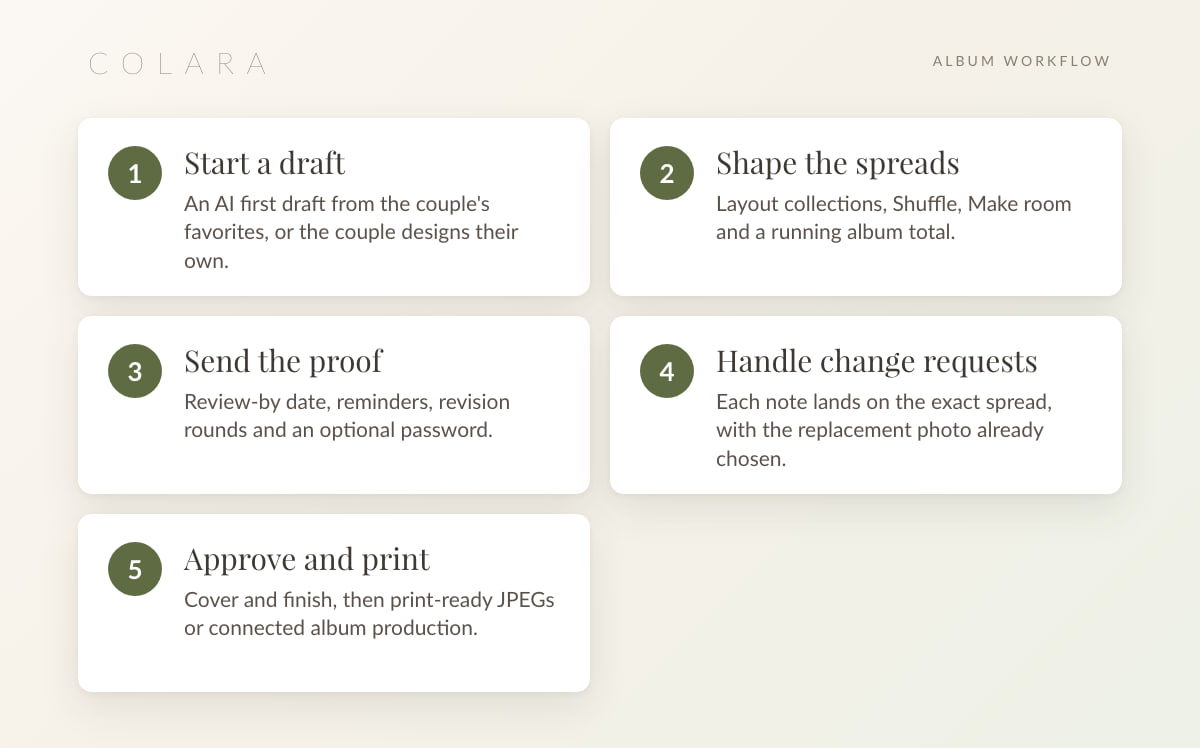
1. Start a draft
Let AI build the first draft from the couple's Album favorites, or from a smart selection when there is no list yet. It reads story flow and spread rhythm, so the ceremony does not land beside the last dance.
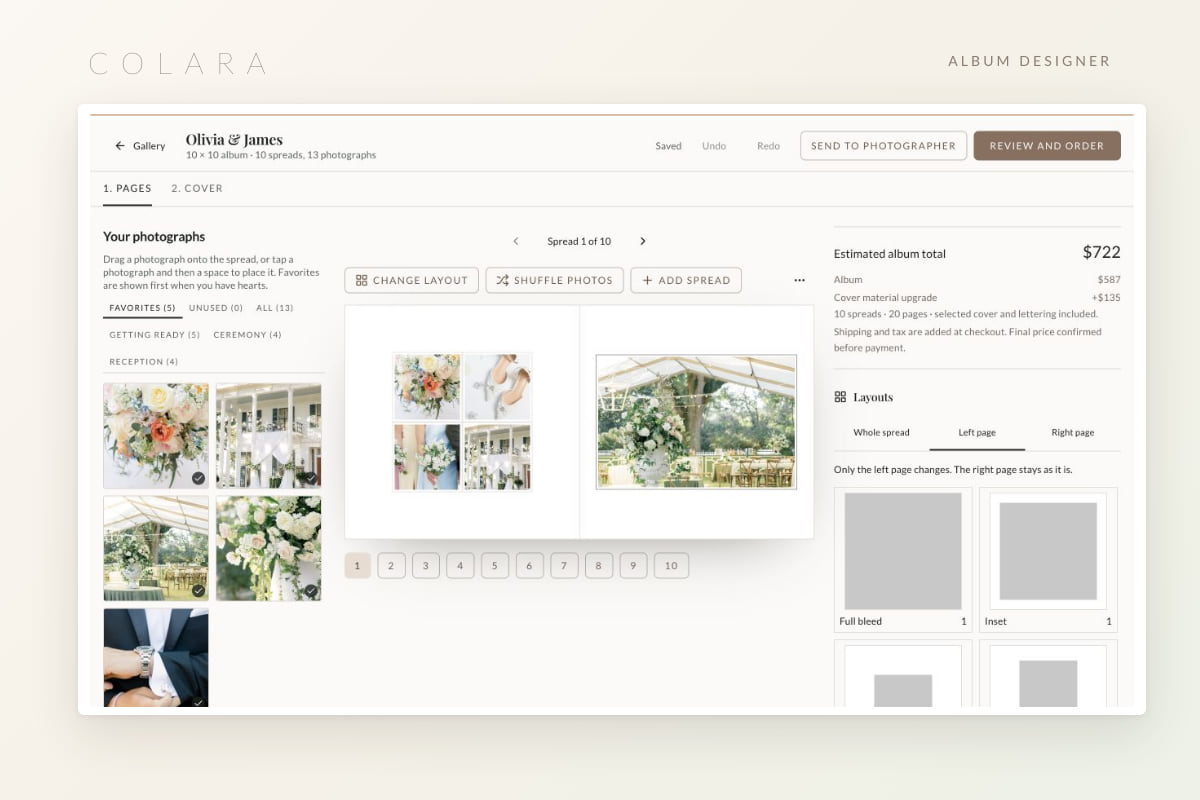
Or let the couple design their own from the gallery store: 10 to 80 photographs, a guided editor, a running price, private to them, and it appears in your Albums list when they finish.
2. Shape the spreads
10 x 10 spreads with layout collections. Shuffle tries a different arrangement of the same photographs, Make room fits one more onto a spread, and an estimated total updates as you go.
3. Send the proof
Send to client opens the proof options: a note, a review-by date, reminders, an optional password, the link on or off, and revision rounds from none to ten or Unlimited. You also choose whether the couple picks their cover after approving (on by default), whether black and white is offered, and whether they get design access or review only.
The proof email previews first, like every email you trigger in Colara, and the link lives on your studio domain. Your Albums list shows when the proof has been opened.
Build a first draft from real favorites. The photographer demo has a delivered gallery ready for an album.
Open the demoHow the couple requests a change
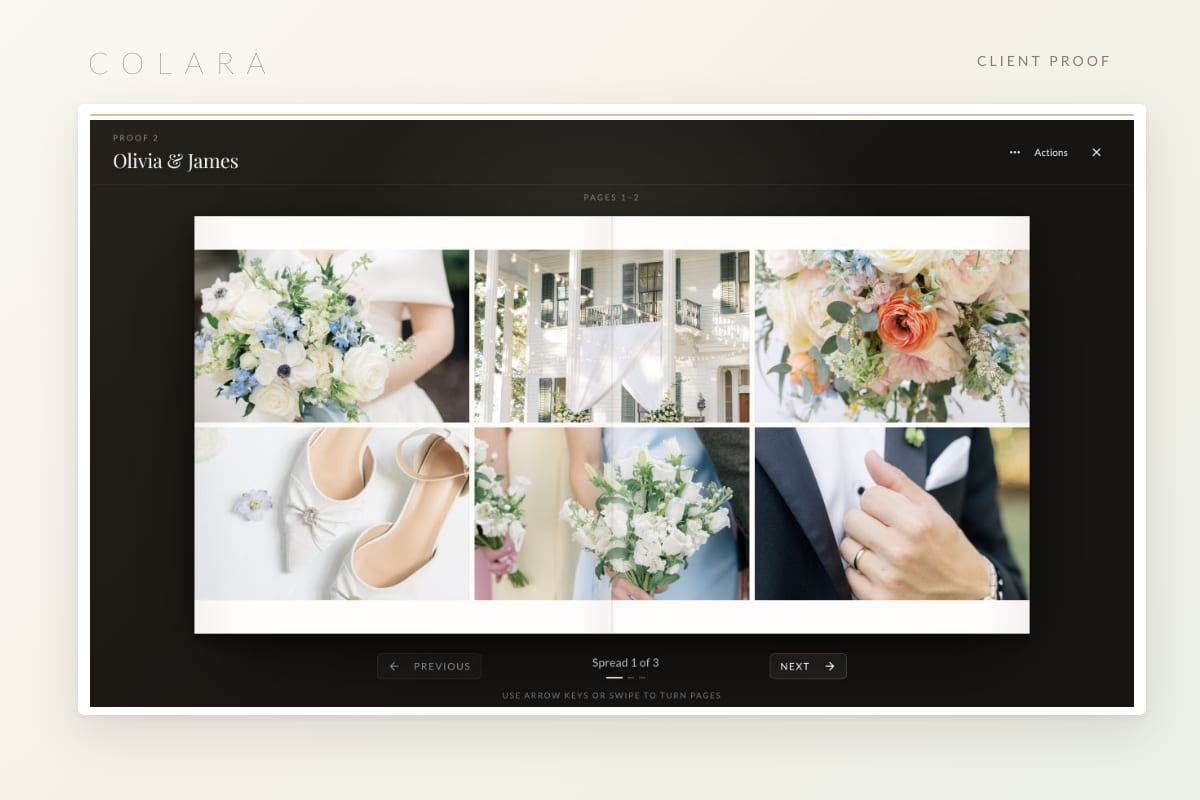
On a phone or a laptop, the proof opens spread by spread. Requesting a change takes three taps.
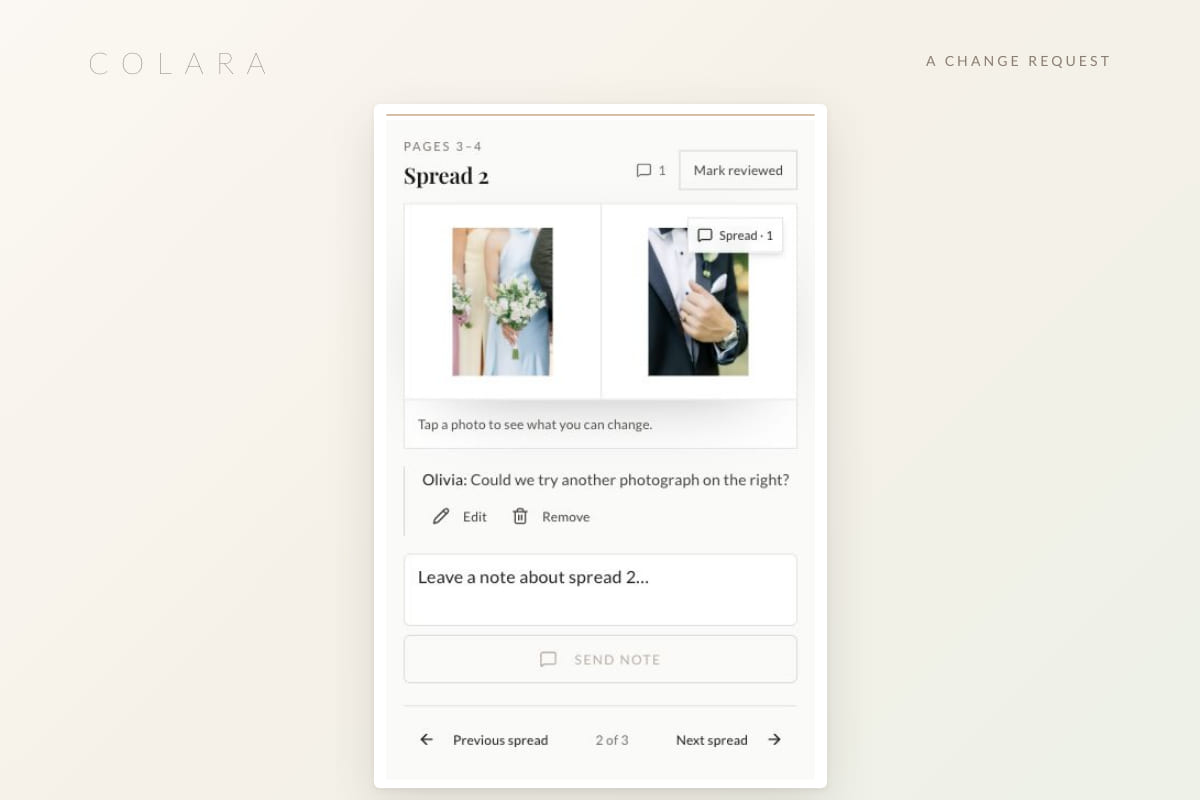
- Tap a photograph and leave a note. The note is pinned to that spread and that photograph.
- Pick the replacement. The couple chooses from the delivered gallery, not from a text description.
- Send everything at once with an overall note. They can edit or remove their own comments until they send.
- No accidental approvals. The couple cannot approve while feedback is still pending.
Your side of the change request
Every request is a checklist item. Open it and the designer jumps to the spread. Apply all the photo swaps in one step.
- Edited spreads are skipped and reported rather than overwritten, so manual work survives.
- Reply, resolve or reopen each note from the same panel.
- Design changes after the proof are flagged, so the couple never approves something they have not seen.
- Remind nudges the couple when the review-by date is close.
Stages tell the story at a glance: Being designed, Sent for approval, Approved, Ordered, Sent to print.
Approval, cover and print
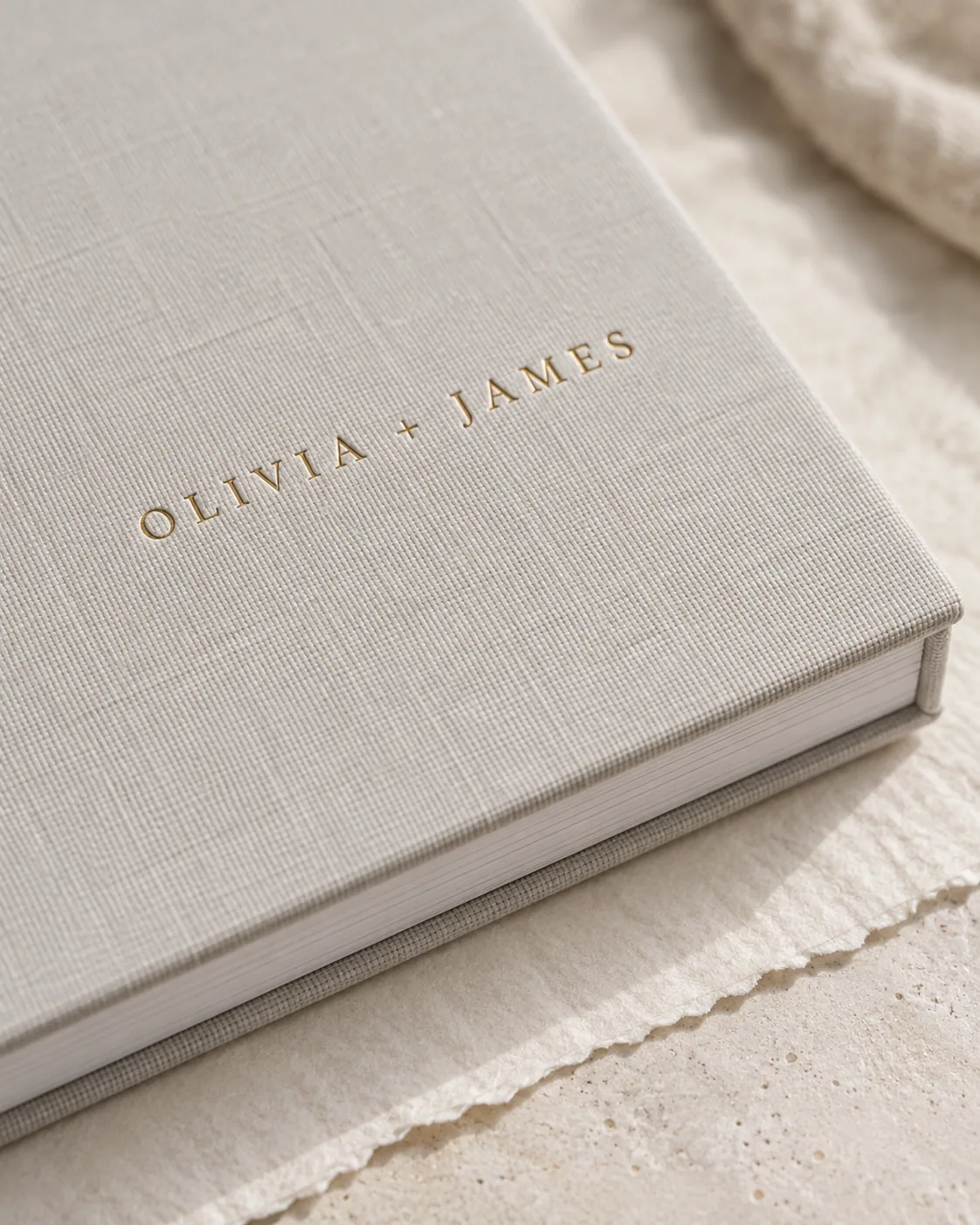
Approve first, then choose the cover. Once the spreads are approved, the couple picks cover material and debossing. Both can change until the album is ordered.
Then print. Save the print plan and download print-ready JPEGs for your lab, or order through connected album production once live ordering is enabled. Companion copies for parents reuse the same approved design.
Price it your way. Set an album price in the store with cover upgrades, and add discount codes if you want them. More in how to price wedding photography and selling prints and albums from your gallery.
Why the album belongs in the CRM
- One record. The album sits on the same wedding as the gallery, the contract and the invoice, so nothing is re-entered.
- One portal. The couple finds the proof in the same client portal as their timeline and payments.
- One question away. Ask the in-app assistant, or Claude through the MCP server, which albums are waiting on a proof.
Frequently asked questions
How does a client request a change to a wedding album?
In the proof link, they tap the photograph, leave a note and pick the replacement from the delivered gallery. The request arrives on your side pinned to the exact spread, with the swap ready to apply in one step.
How many revision rounds should I allow?
Set it per proof: none, one to ten, or Unlimited. Two rounds covers most couples when the first draft is built from their own favorites.
Can the couple design their own album?
Yes. From the gallery store they pick 10 to 80 photographs in a guided editor with a running price. The result appears in your Albums list, and you can still send it through the same proof flow.
What is a review-only proof?
A proof where the couple can comment and approve but cannot change layouts. Design access, the alternative, lets them move photographs themselves before approving.
Does album proofing work on a phone?
Yes. The proof, notes, photo swaps and approval all work on a phone, which is where most couples open the link first.
Design an album in the demo
The photographer demo has a delivered gallery with favorites ready, so you can build a first draft and send yourself a proof.
Open the photographer demo