Wedding Business
Connect Your Wedding CRM to Claude: A Practical Guide to the Colara MCP Server
What MCP is, what Claude can and cannot do once it is connected to your wedding CRM, how to connect with or without an API key, and the prompts planners and photographers actually use.
Colara · October 23, 2026

Your wedding CRM knows which couples owe a payment, which vendors are confirmed and what the timeline says. Claude can now read that directly, and update it when you ask.
This guide explains what MCP is, what Claude can and cannot do once it is connected to Colara, how to connect with or without an API key, and the prompts planners and photographers actually use.
In short
- MCP is an open standard for connecting an AI assistant to a tool. Colara has served it since September 2026.
- Three scopes. Read, Write and Finance. You pick them when you connect, and each connection shows its own.
- Nothing destructive. Claude never deletes, never emails a client and never moves money.
- No API key needed. Add the connector in Claude, sign in to Colara, done.
What MCP is, in one paragraph
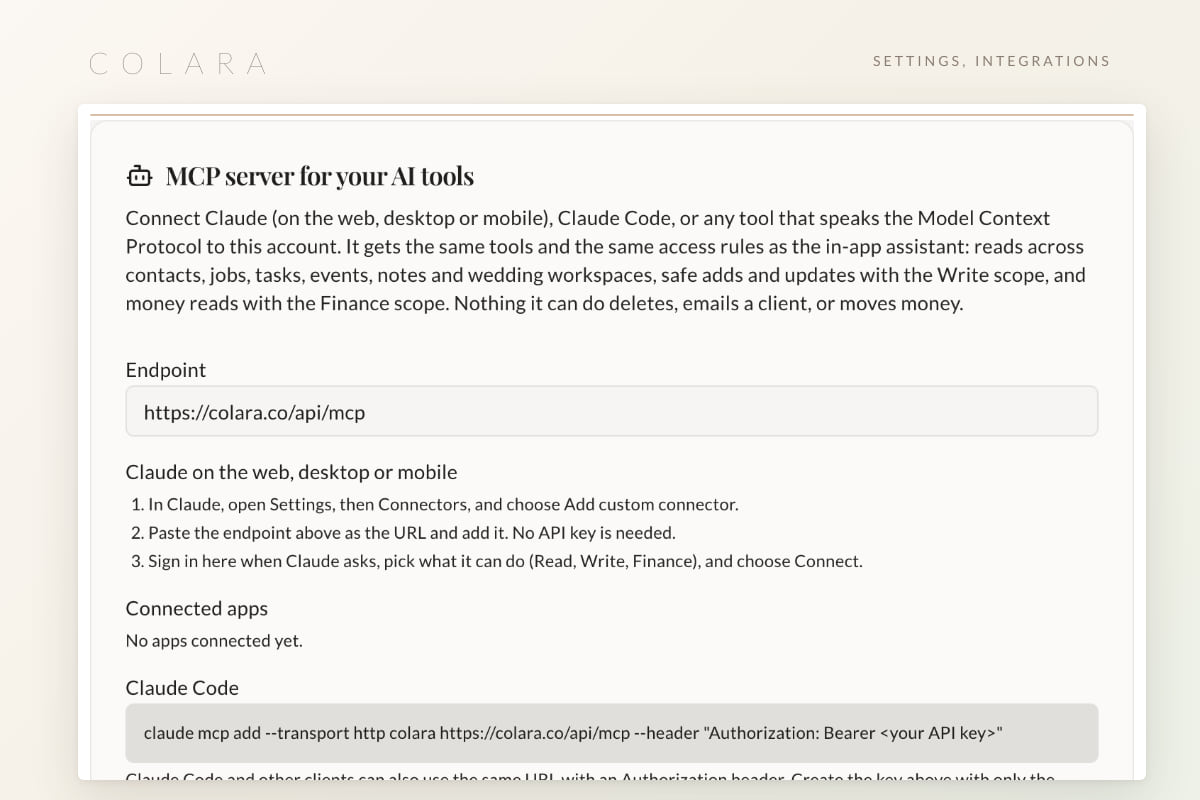
MCP, the Model Context Protocol, is an open standard for giving an AI assistant structured access to a product. Instead of pasting a client list into a chat, you connect once and Claude asks Colara for exactly the records it needs. Colara has run an MCP server since September 2026, and since October you can connect Claude to it without an API key.
Claude does not get a login. It gets a connection with the scopes you chose, through the same access gate as the in-app assistant.
What Claude can see and do
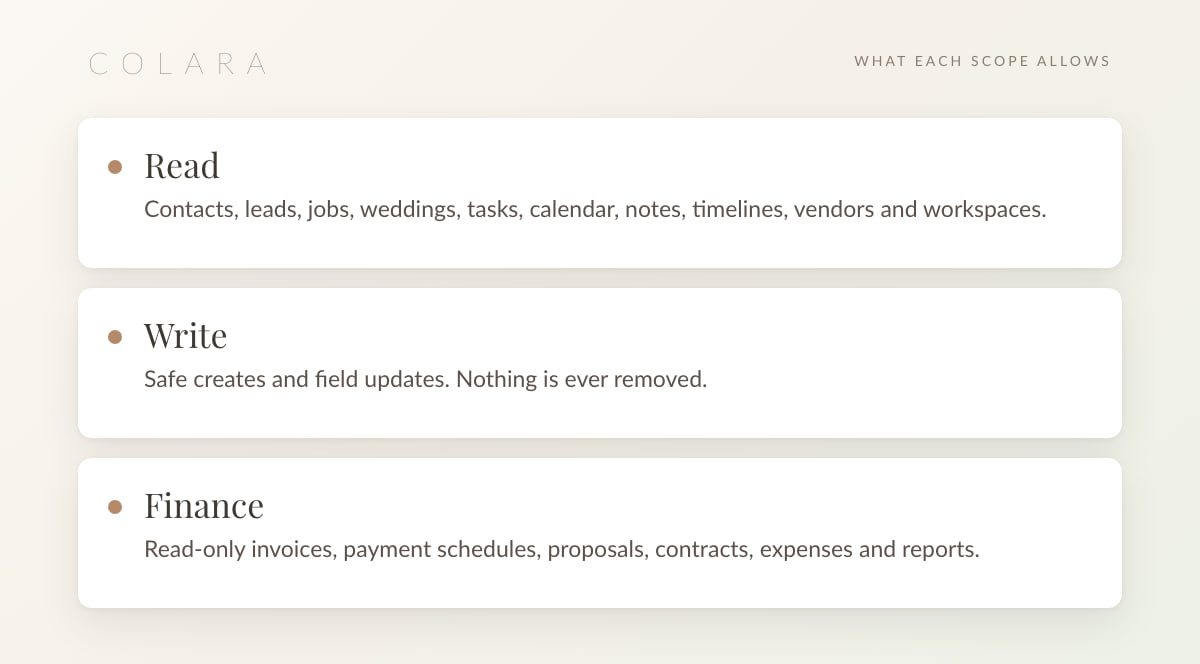
Read covers contacts, leads, jobs, weddings, tasks, calendar, notes, timelines, vendors and workspaces. Write allows safe creates and field updates, and nothing is ever removed. Finance is read-only: invoices, payment schedules, proposals, contracts, expenses and reports.
What it cannot do. Delete anything, send an email, or move money. Those stay in the app, where you can see them happen.
Connect in three steps
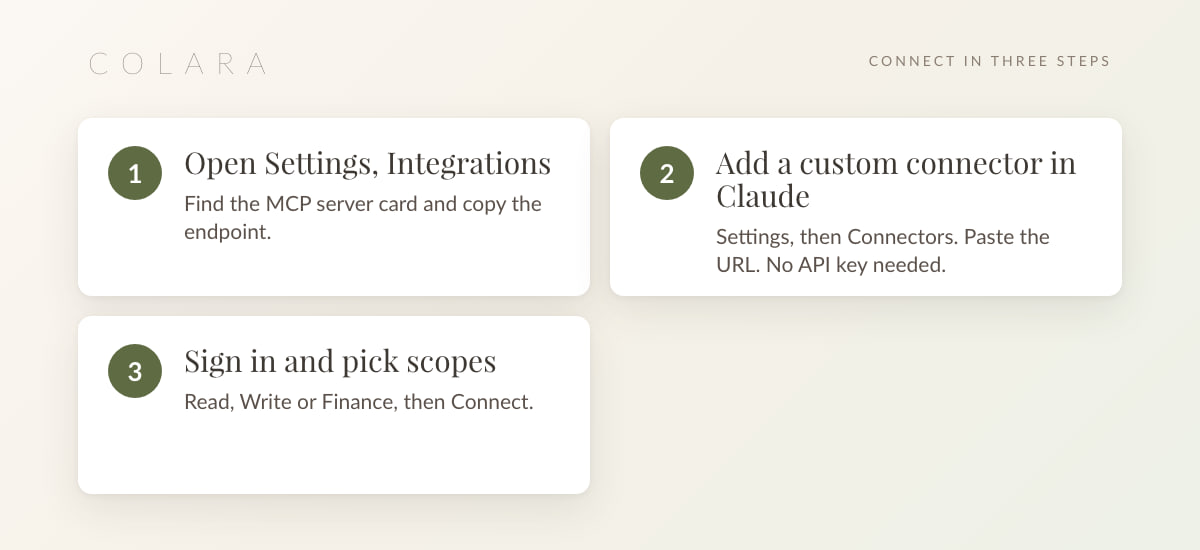
1. Copy the endpoint in Colara
Open Settings, then Integrations. The card is called MCP server for your AI tools and shows the endpoint, https://colara.co/api/mcp, with the steps for each Claude app.
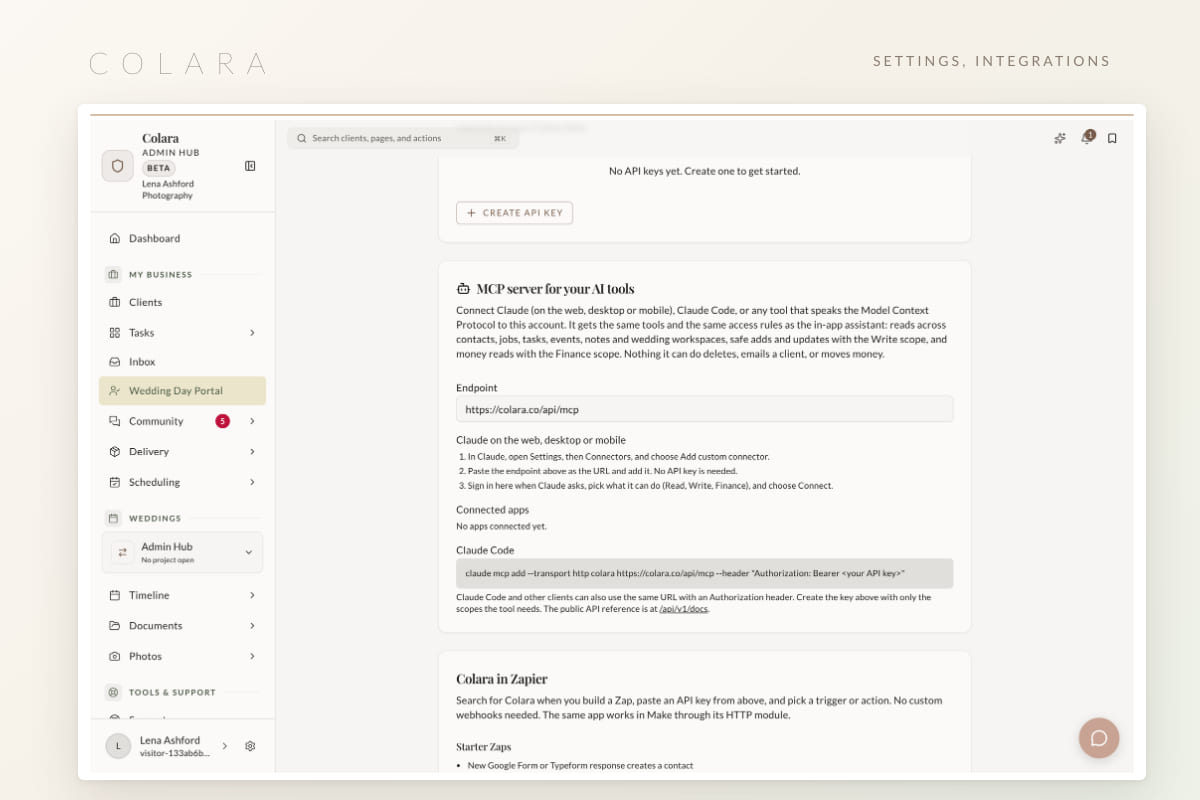
2. Add a custom connector in Claude
In Claude, open Settings, then Connectors, and choose Add custom connector. Paste the URL. No API key needed.
3. Sign in and pick scopes
Sign in to Colara, tick Read, Write or Finance, and Connect. Any connection can be removed in one click from the same card.
Nothing to connect yet? Start with the free CRM and add Claude in a few minutes.
Open the free CRMClaude Code and other clients
Claude Code connects with one command and an API key from the same Integrations card:
claude mcp add --transport http colara https://colara.co/api/mcp --header "Authorization: Bearer <your API key>"Other tools. The REST API is documented at /api/v1/docs, and Colara is in Zapier for no-code automations. API keys are scoped too, so a reporting script can be Read plus Finance and nothing else. Keys created before scopes existed keep all three until you replace them.
Prompts worth trying
For planners:
- List every wedding in the next 60 days with its venue, guest count and the vendors that are still unconfirmed.
- What is still open on the task list for the October 18 wedding, grouped by who it is assigned to?
- Add a note to the November 7 wedding that the florist confirmed delivery for 1 pm.
- Draft a Monday morning summary of this week's events, timelines and anything overdue.
- With Finance: which couples have a payment due in the next 14 days, and how much?
For photographers:
- Which inquiries from the last 30 days have no follow-up task yet? Create one for each, due Friday.
- Pull the timeline for Saturday's wedding and list the family portrait groups from the questionnaire notes.
- Create a task for each wedding in September to send the gallery delivery, due six weeks after the wedding date.
- With Finance: which contracts are signed but have no retainer paid?
The answers are only as good as the data, which is why setting up the CRM properly and keeping the pipeline current matter more once Claude is reading it.
Habits that keep it safe
- Start with Read. A week of questions tells you whether Write earns its place.
- Finance is separate for a reason. Connect it on the device you do bookkeeping on, not on every device.
- Team members connect as themselves. Their Claude sees what their page access allows, the same rule the in-app assistant follows.
- Disconnect is one click. A lost phone, a departing assistant, an experiment that is over: remove the connection and the token stops working.
- Let automations do the repeating. Claude is for questions and one-off updates. Recurring sends belong in workflows.
Claude is one of several places the same data shows up. The AI floor plan tool reads the same seating chart, and the in-app assistant answers the same questions without leaving the page.
Frequently asked questions
What is MCP?
The Model Context Protocol, an open standard that lets an AI assistant such as Claude connect to a product and request exactly the records it needs, with permissions you control. Colara's MCP server exposes your CRM data to Claude through Read, Write and Finance scopes.
Do I need an API key to connect Claude to Colara?
No. Add https://colara.co/api/mcp as a custom connector in Claude, sign in to Colara and pick your scopes. An API key is only needed for Claude Code and scripts.
Can Claude delete records, send emails or take payments?
No. Write allows safe creates and field updates only. Nothing is removed, no email goes out, and Finance is read-only.
Can my team members connect their own Claude?
Yes. Each person connects as themselves and sees what their page access in Colara allows, exactly like the in-app assistant.
Which Claude apps work with it?
Claude on the web, the desktop app and the mobile app connect through Settings, then Connectors. Claude Code connects with the one-line command and an API key.
Start with the free CRM
Set up your clients and weddings for free, then connect Claude from Settings, then Integrations, in a few minutes.
Open the free CRM