For Planners
AI Wedding Floor Plans: Trace the Venue, Fill the Layout, Walk Through It in 3D
Build a wedding floor plan from the venue's own PDF, let AI fill the room with three measured options linked to the seating chart, refine without starting over, and walk through it at eye level.
Colara · October 23, 2026
A wedding floor plan starts with a venue PDF, a guest count and a lot of guessing about what fits. Then the guest count changes and the guessing starts again.
With Colara's venue layout tool you trace the real room once, describe the wedding, and get three measured layouts tied to the seating chart. Then you refine without starting over and walk through the result at eye level. Here is how each step works.
In short
- Start from the venue's own PDF. Trace the walls, lock the fixed features, and every table carries its real footprint and chair space.
- Three measured options from one description of the wedding, each already linked to the seating chart.
- Refine in plain words. Lock what works, ask for the rest, preview the seating and rental impact before accepting.
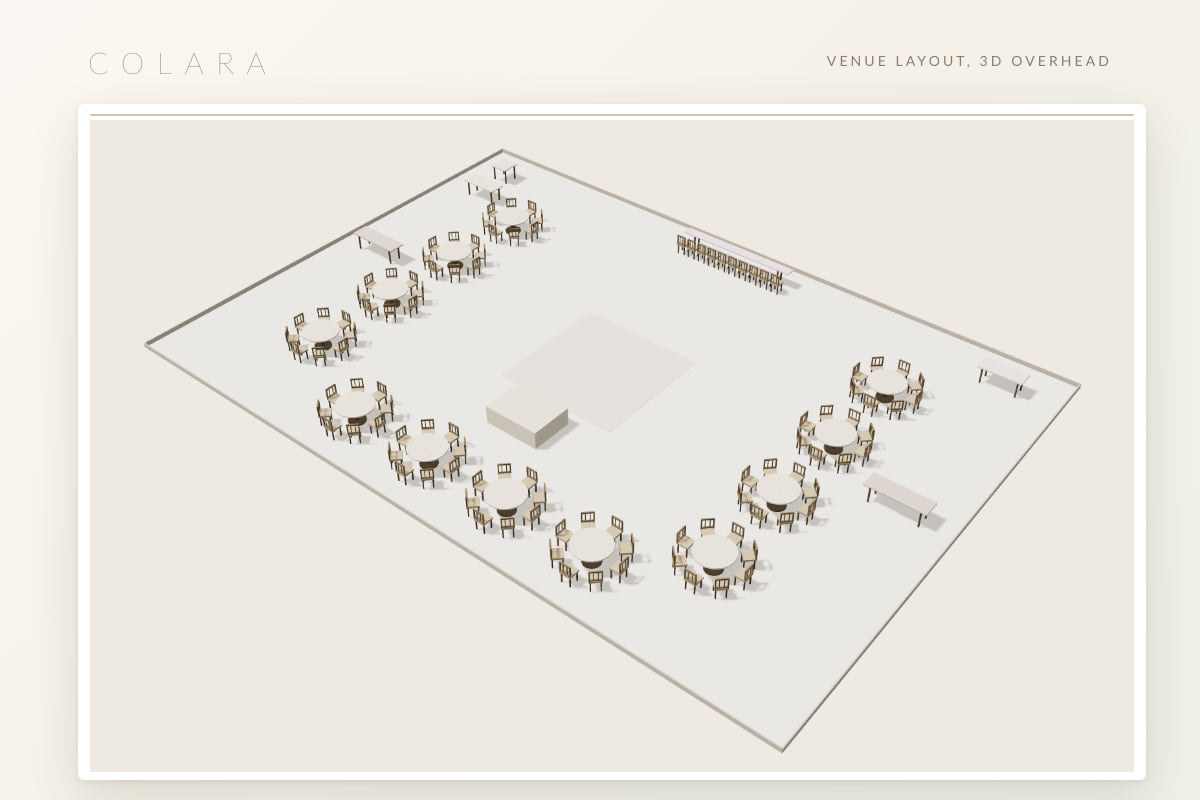
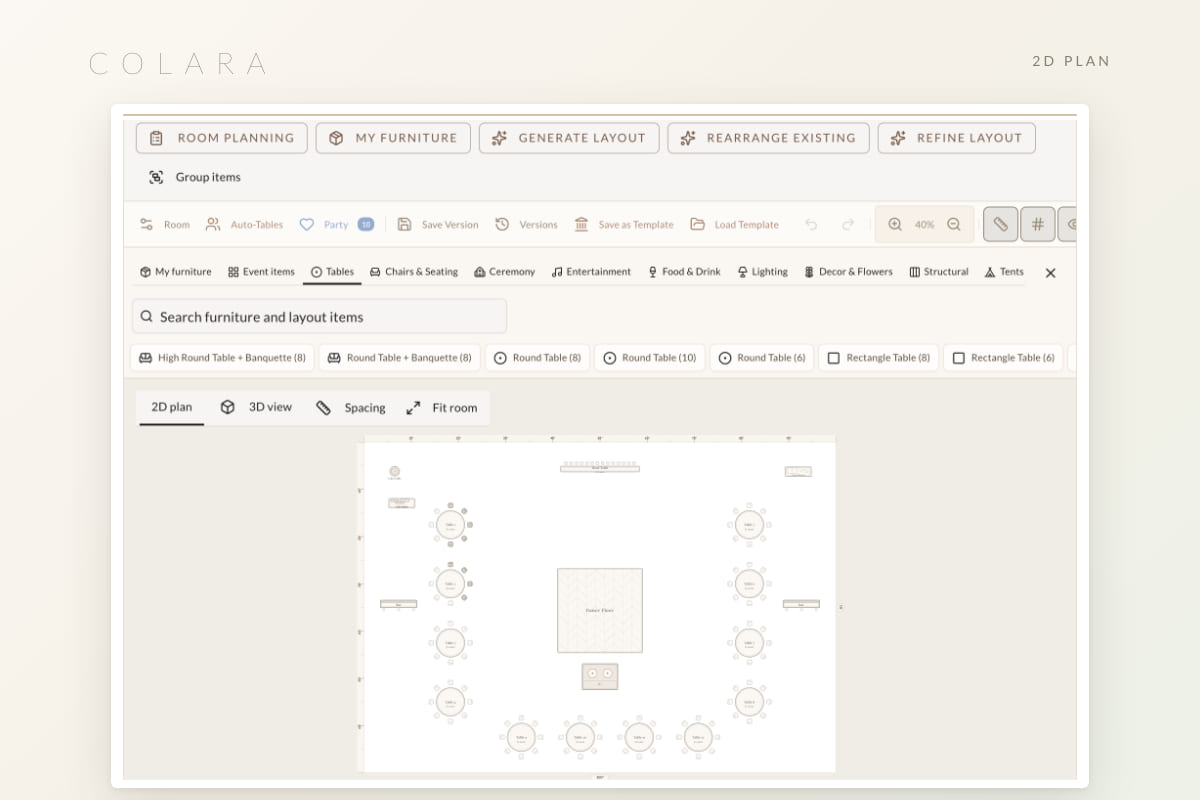
- Three views. A 2D plan for measuring, a 3D view for the proposal, and an eye-level walkthrough for the couple.
Start from the real room
Upload the venue PDF and trace the walls. Irregular rooms, alcoves and pillars are fine. Lock the fixed features: the bar, the stage, the doors, a built-in dance floor.
Everything has a real footprint. A 60-inch round carries its chair space, so the plan never looks roomier than the night will. This is the step most planners skip in a drawing tool, and it is why those plans drift from reality.
Describe the wedding, get three layouts
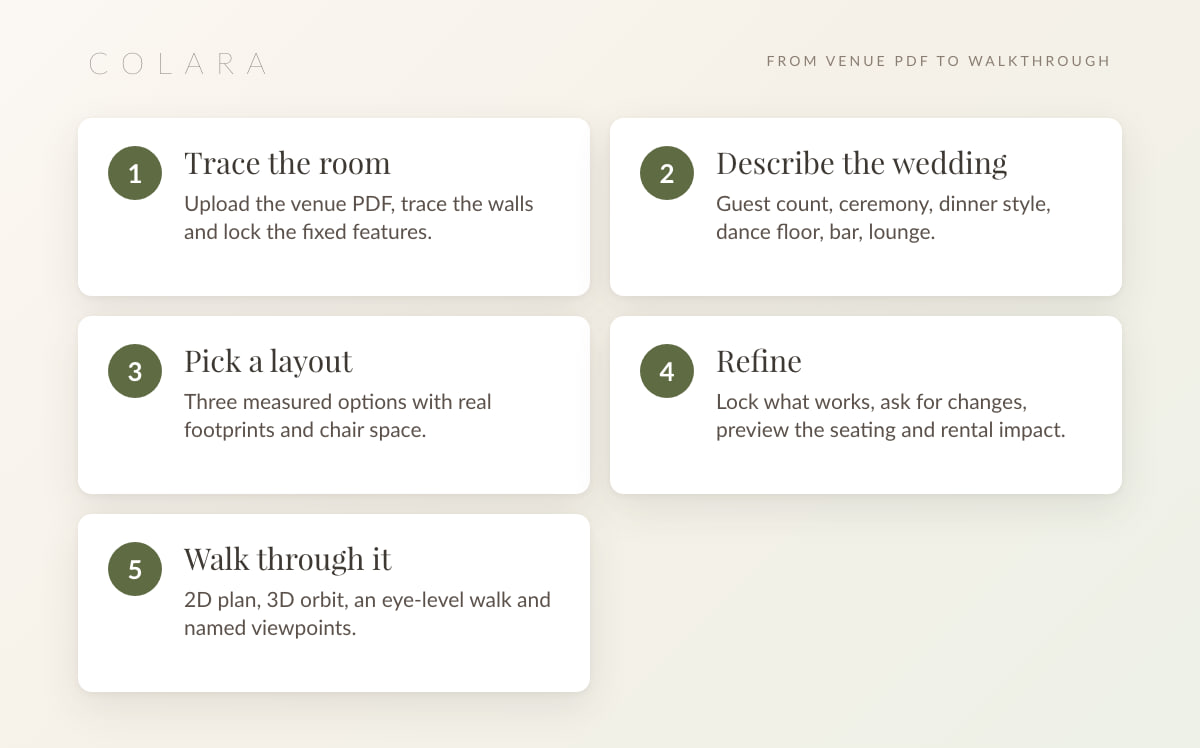
Guest count, ceremony or reception, dinner style, dance floor, bar, lounge. Click Generate layout and you get three measured options: balanced rows, a partial room with a cocktail area, and a compact plan. Corporate events get classroom and theater options instead.
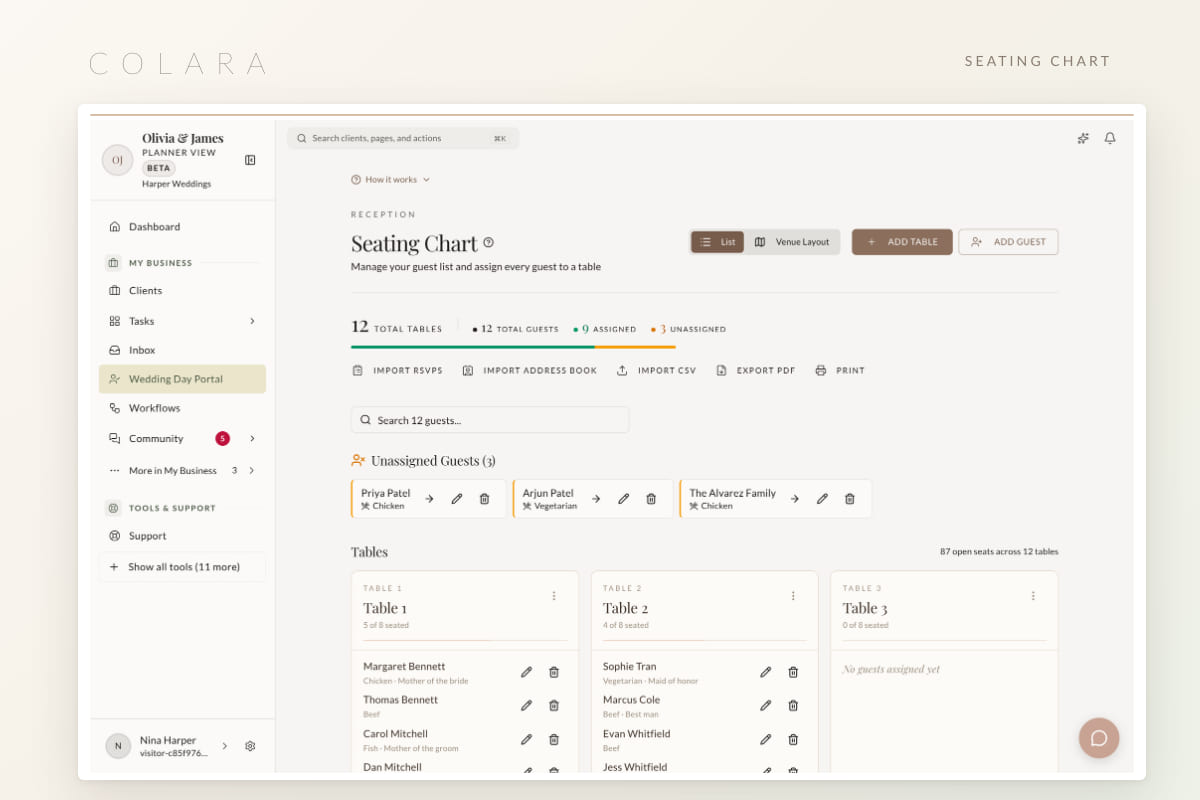
The tables are already linked to the seating chart. Table 7 on the plan is Table 7 on the seating chart, and the wedding party is placed by name.
The prompt knows your inventory. Name flooring, lighting, centerpieces or any item from your library and the layout uses it. Event layouts cover theater, classroom, boardroom, banquet, cocktail and trade show, so the same tool serves the corporate side of a planner's workflow.
Skip the tracing. The planner demo opens on a wedding with a ballroom already traced.
Open the planner demoRefine without starting over
- Lock what works and ask for the rest to change.
- Ask in plain words. Move the sweetheart table to the window. Add a second bar near the terrace.
- Preview the impact on seating and rentals before accepting, with before and after side by side.
- One undo takes the last change back.
- Room review flags tight spacing, and Show in plan jumps to the spot. A Spacing toggle shows the walking room between tables.
Refining a layout should feel like talking to a coordinator who already knows the room, not redrawing it from scratch.
Three views of the same plan
2D for the measurements, 3D for the feel, eye level for the couple. Undo is shared across all three.
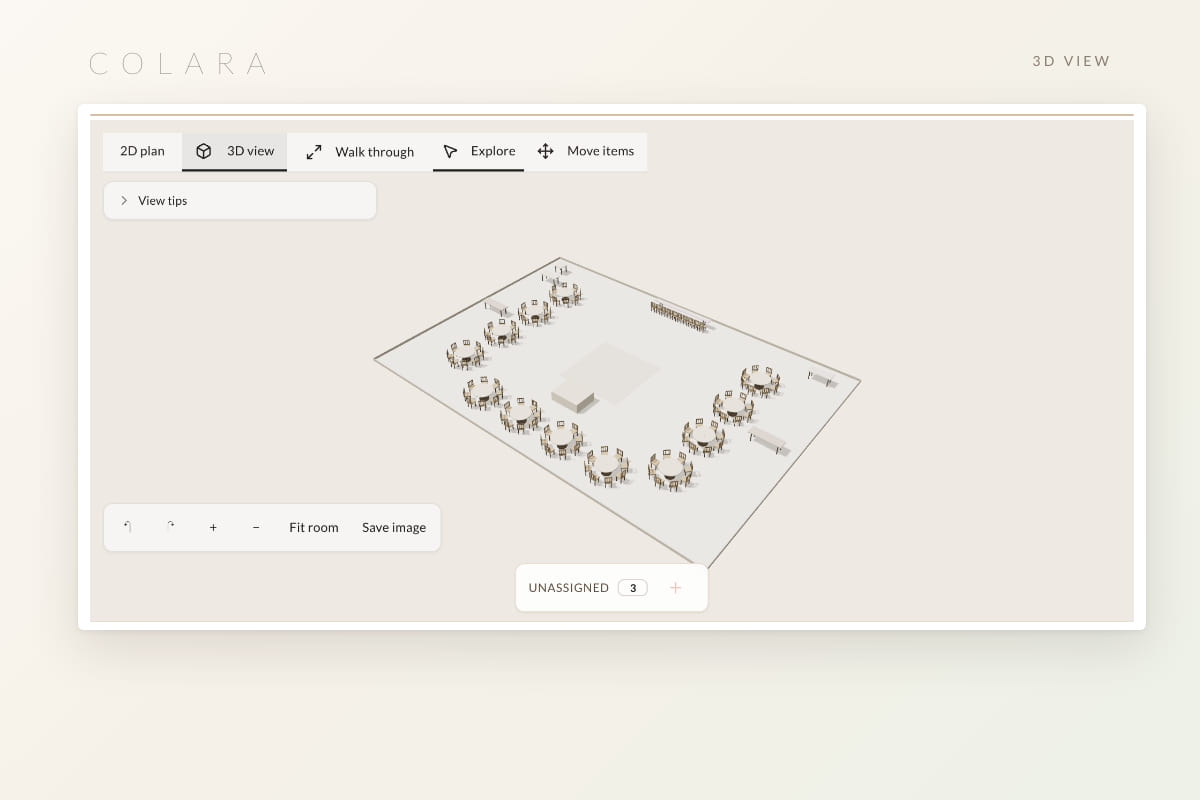
- 2D plan is where you measure and move.
- 3D view orbits the room, and Save image gives you a picture for the proposal.
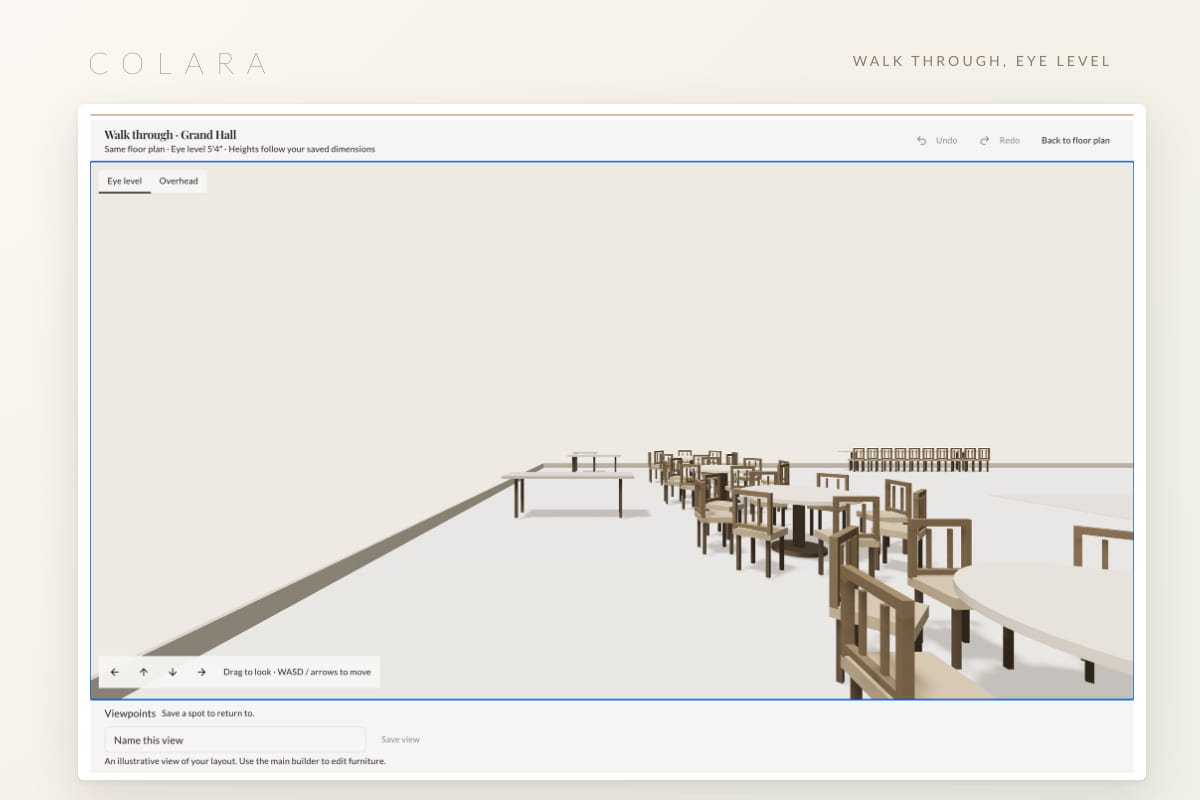
- Walk through puts you at 5 ft 4 eye level. Drag or use the arrow keys, switch to overhead, and save named viewpoints such as the head table or the entrance.
Versions, rentals and the rain plan
- Versions. Auto-saved before each replace, the last twenty kept with labels, and any version can become a template.
- Rentals from the layout. Table and chair counts flow into the rental list, so the order matches the plan.
- Ceremony, reception and rain. Separate layouts for each, with a room-flip checklist between them.
- Branded PDFs for the venue and the vendors, and the iPhone app for the walkthrough on site.
- Ask Claude. With the MCP server connected, ask which weddings still have no final layout.
The layout tool is part of the planner workspace, alongside the timeline builder, the seating chart and the vendor list. If you are new to all of it, how to set up a wedding CRM is the place to start.
Frequently asked questions
Can AI make a floor plan from a venue PDF?
Yes. Upload the venue's PDF, trace the walls and fixed features once, then describe the wedding. Colara returns three measured layouts with real table footprints and chair space, linked to the seating chart.
How do I check spacing between tables?
Turn on the Spacing toggle in the 2D plan to see walking room, and run Room review to flag tight spots. Show in plan jumps to each one.
Can the couple walk through the room?
Yes. Share the walkthrough and they move through the room at 5 ft 4 eye level, or jump between the named viewpoints you saved.
Can I reuse a layout for the next event in the same room?
Save any version as a template. The traced room stays, and the next event starts from the template rather than a blank plan.
Does it work for corporate events?
Yes. Generate layout offers theater, classroom, boardroom, banquet, cocktail and trade show arrangements, and venue teams use the same traced rooms across every event.
Walk through a room in the demo
The planner demo opens on a wedding with a traced ballroom, so you can generate a layout, refine it and walk through it yourself.
Open the planner demo