Wedding Business
Wedding CRM vs Spreadsheet: When Is It Time to Switch?
An honest comparison of spreadsheets and wedding CRMs, including costs, warning signs, migration steps, and a practical decision scorecard.
Editorial Team · September 4, 2026
A spreadsheet is not an immature CRM. For a small wedding business with a simple offer and a disciplined owner, it can be the right tool: inexpensive, flexible, familiar, and easy to change. The question is not whether CRM software is more advanced. The question is whether your spreadsheet still makes the next action visible without forcing the rest of the client relationship into email, folders, calendars, and memory.
This guide compares the two systems honestly so you can switch when the operational cost justifies it, not because a dashboard looks prettier.
The short answer
Keep the spreadsheet while follow-up is reliable and one person can see the whole client journey. Test a CRM when work starts living in five places, ownership becomes unclear, or routine handoffs depend on memory.
Wedding CRM versus spreadsheet at a glance
| Workflow | Spreadsheet | Wedding CRM |
|---|---|---|
| Lead list and custom calculations | Excellent | Good, with less formula flexibility |
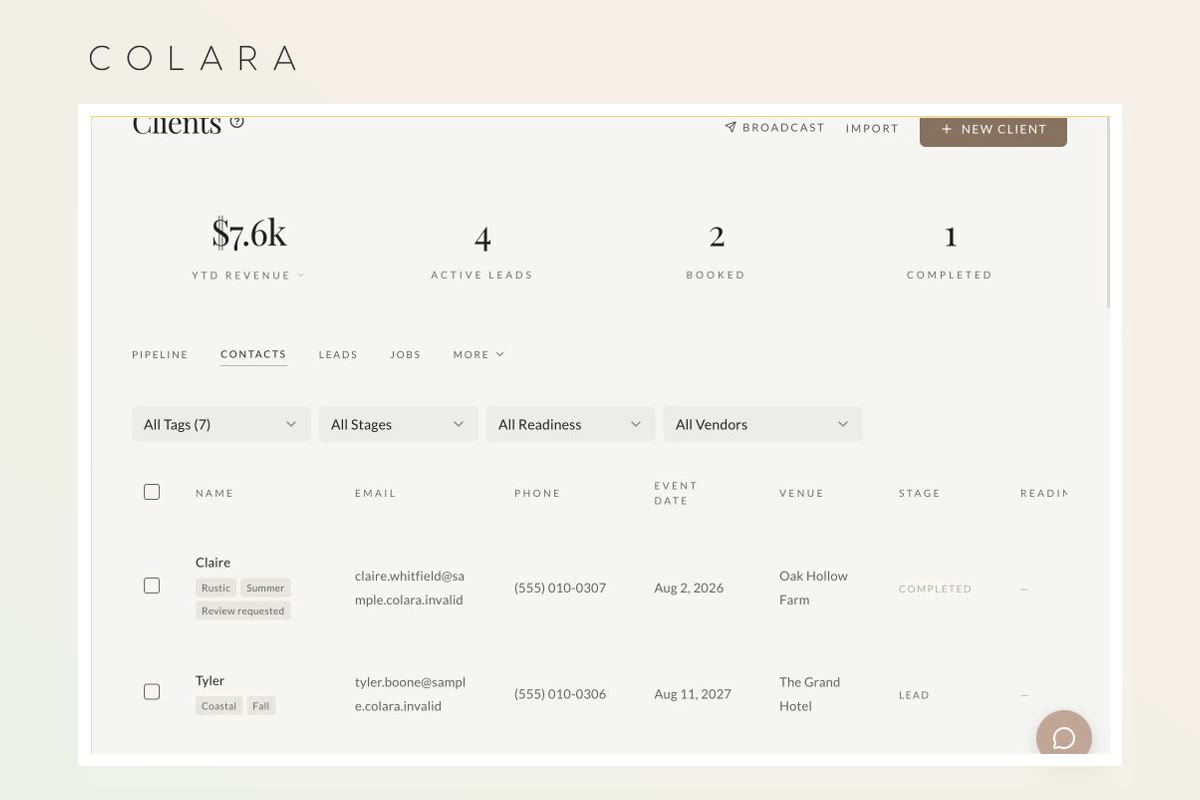
| Next action and ownership | Manual fields and discipline | Tasks, stages, reminders, and assignments |
| Email and appointment history | Usually stored elsewhere | Can stay attached to the record |
| Proposals, contracts, and invoices | Separate documents and tools | Can connect to the client workflow |
| Client access | Shared sheet or separate folders | Purpose-built portal |
| Reporting | Powerful if formulas stay clean | Faster standard pipeline reporting |
| Wedding planning and day-of work | Flexible but fragmented | Varies; wedding-specific systems can connect it |
When a spreadsheet is still the better choice
Stay with the spreadsheet when one person manages a small number of inquiries, every lead receives a timely response, dates never double-book, documents are easy to find, and the weekly review takes minutes. A sheet is also useful when the workflow is changing quickly and the business has not yet learned which fields and stages matter.
The spreadsheet remains a strong reporting layer. Even businesses with a CRM often export data for custom forecasting, pricing analysis, or year-over-year comparisons. Switching systems does not require abandoning spreadsheets for every job.
Seven signs the spreadsheet is becoming expensive
- Follow-up depends on memory. A row says “proposal sent,” but nobody can see the promised follow-up date.
- One client exists in five places. Names, dates, package details, and balances differ across the sheet, contract, invoice, calendar, and timeline.
- A second person cannot take over. The process works only because one owner knows what every color and note means.
- Client questions require a search. Answering “What is left to pay?” or “Which questionnaire is next?” means opening several tools.
- Documents are sent manually every time. The same proposal, contract, invoice, and welcome sequence is rebuilt for each booking.
- Reporting is no longer trusted. Stages are stale, formulas break, and lost reasons are missing.
- The wedding leaves the business system after booking. The timeline, vendor details, questionnaires, family photos, layouts, or final notes move into another disconnected stack.
Calculate the real cost of the current system
Count the minutes spent each week copying data, checking for unsigned contracts, following up on proposals, finding balances, preparing routine emails, and answering questions a portal could resolve. Multiply those hours by the internal hourly rate required to make the business profitable. Then add the expected cost of one missed follow-up or incorrect document.
Compare that number with the full software cost, including payment fees, required upgrades, setup time, migration, and any tools you would still keep. A free plan can lower the financial threshold, but only a real workflow test reveals whether it lowers the operational cost.
Use this decision scorecard
Give one point for every “yes”:
- More than one person needs to understand active leads.
- You manage inquiries from three or more sources.
- You send repeatable proposals, contracts, invoices, or questionnaires.
- You need automatic reminders or assigned tasks.
- Clients need a clear place to find documents and next steps.
- You cannot answer lead-source, booking-rate, or pipeline-value questions quickly.
- Booked weddings move into separate planning or timeline tools.
Zero to two points: improve the spreadsheet before adding software. Three to four: test one real inquiry in a CRM alongside the sheet. Five to seven: the fragmented workflow is probably costing more than the switch.
How to migrate without losing control
- Export the original spreadsheet and store an unchanged backup.
- Remove duplicate records and standardize dates, phones, emails, and stages.
- Map each source column to one destination field.
- Import five records and inspect them before importing the rest.
- Move active leads and weddings first.
- Choose a cutoff date after which all new inquiries enter the CRM.
- Run one booking from inquiry through contract and payment before building complex automation.
Do not keep two editable sources of truth indefinitely. During a short transition, label the old sheet read-only or clearly identify which system owns new work. The migration overview and 60-minute CRM setup checklist can be used together.
What to test in a free CRM
Import a handful of records, create the eight practical wedding CRM stages, send a test proposal, contract, invoice, questionnaire, and portal invitation, then check the experience on a phone. Confirm that the system shows an owner and next action for every open lead.
The free wedding CRM lets wedding businesses test that workflow with unlimited leads and clients. Wedding planners can use the planner setup page; photographers can use the photographer setup page. Paid wedding-workspace tools remain a separate decision.
Frequently asked questions
Is a spreadsheet enough for a wedding business?
Yes, when the team is small, the workflow is simple, and follow-up remains reliable. A spreadsheet stops being enough when it cannot connect the lead record to communication, tasks, documents, payments, and the work after booking.
How many clients do I need before using a CRM?
Client count alone is a weak trigger. A business with ten complex weddings and several team members may need a CRM sooner than a solo business with fifty simple bookings. Use workflow complexity, duplicate entry, and missed actions instead.
Should I delete my spreadsheet after migrating?
No. Preserve an unchanged export as a backup and reference record. Stop editing it after the cutoff date so the CRM can become the source of truth.
Can I try a wedding CRM without paying?
Yes. Use a permanent free plan to test the full lead-to-client workflow before deciding whether any paid wedding-planning features are worth adding.
Test it before you move everything
Run one real inquiry through a free wedding CRM
No card, no client cap, and no deadline to upgrade. Keep the sheet as your backup while you compare the complete workflow.